Read & Chat Side-by-Side
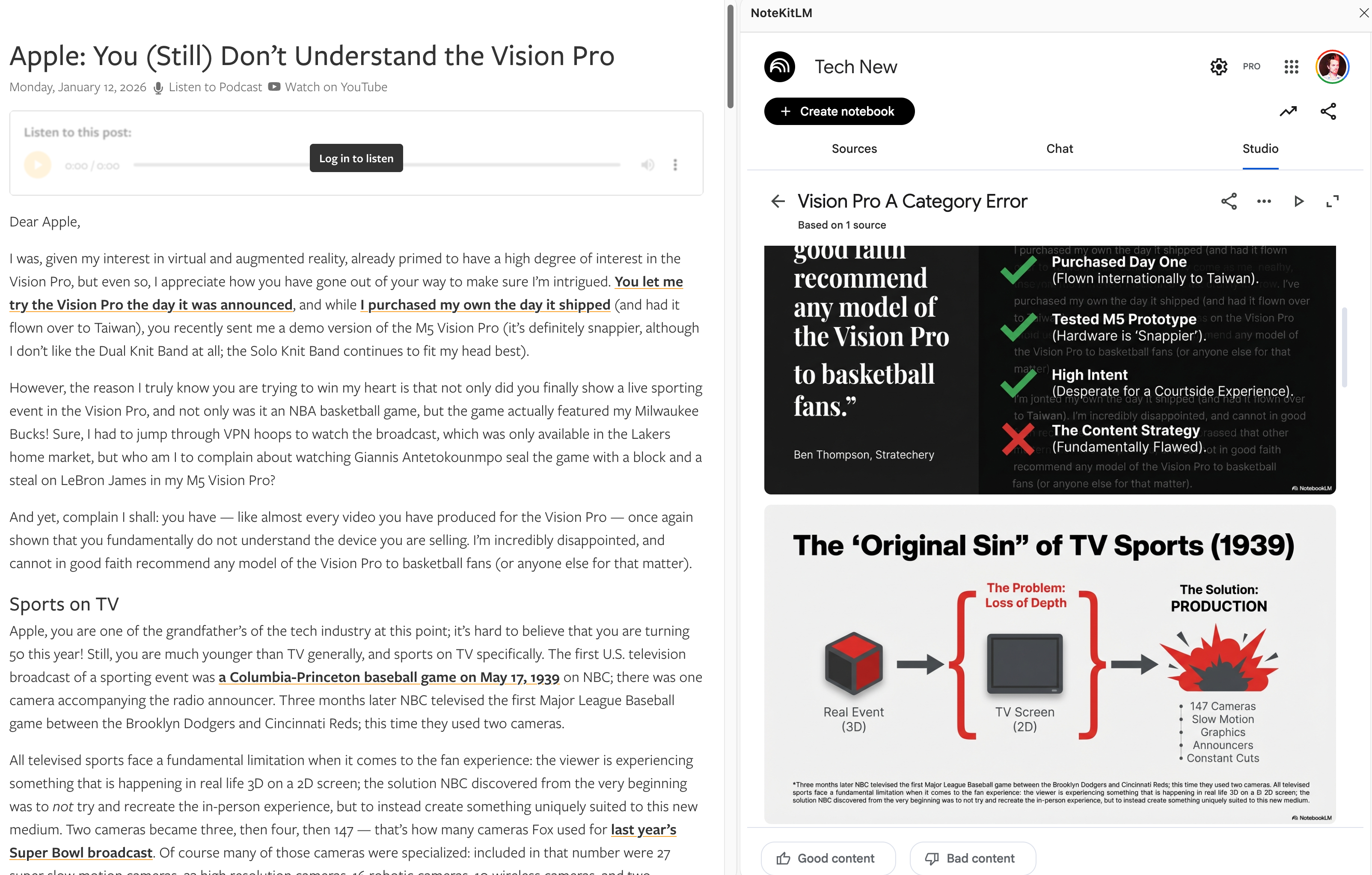
The sidebar is what turns a notebook from passive storage into an active reading surface. Keep the original article, chapter, or source page visible while you ask NotebookLM focused questions in the same session.
Never Lose Your Place
Without side-by-side reading, it is easy to ask NotebookLM vague questions because the source has already disappeared from view. The NoteKitLM sidebar keeps the current article, chapter, or source page visible so your questions stay specific and your review stays active.
- Read the original article or chapter while the notebook stays open beside it.
- Ask about the exact paragraph, image, claim, or citation you are looking at instead of recalling it from memory.
Part of the Workflow:
All Workflows
Explore the main NoteKitLM workflows for web article digestion, ChatGPT Deep Research handoff, and chapter-by-chapter book reading in NotebookLM.
Web Article Workflow
Capture clean pages by URL, preserve image-heavy or logged-in pages as PDFs, then review everything in NotebookLM with the original article still visible.
Learn more →ChatGPT Research Workflow
Move Deep Research reports and cited sources into NotebookLM, then turn them into reusable outputs.
Learn more →Book Reading Workflow
Split books into chapters before NotebookLM so you can read, question, and review chapter by chapter.
Learn more →