Capture the Full Picture
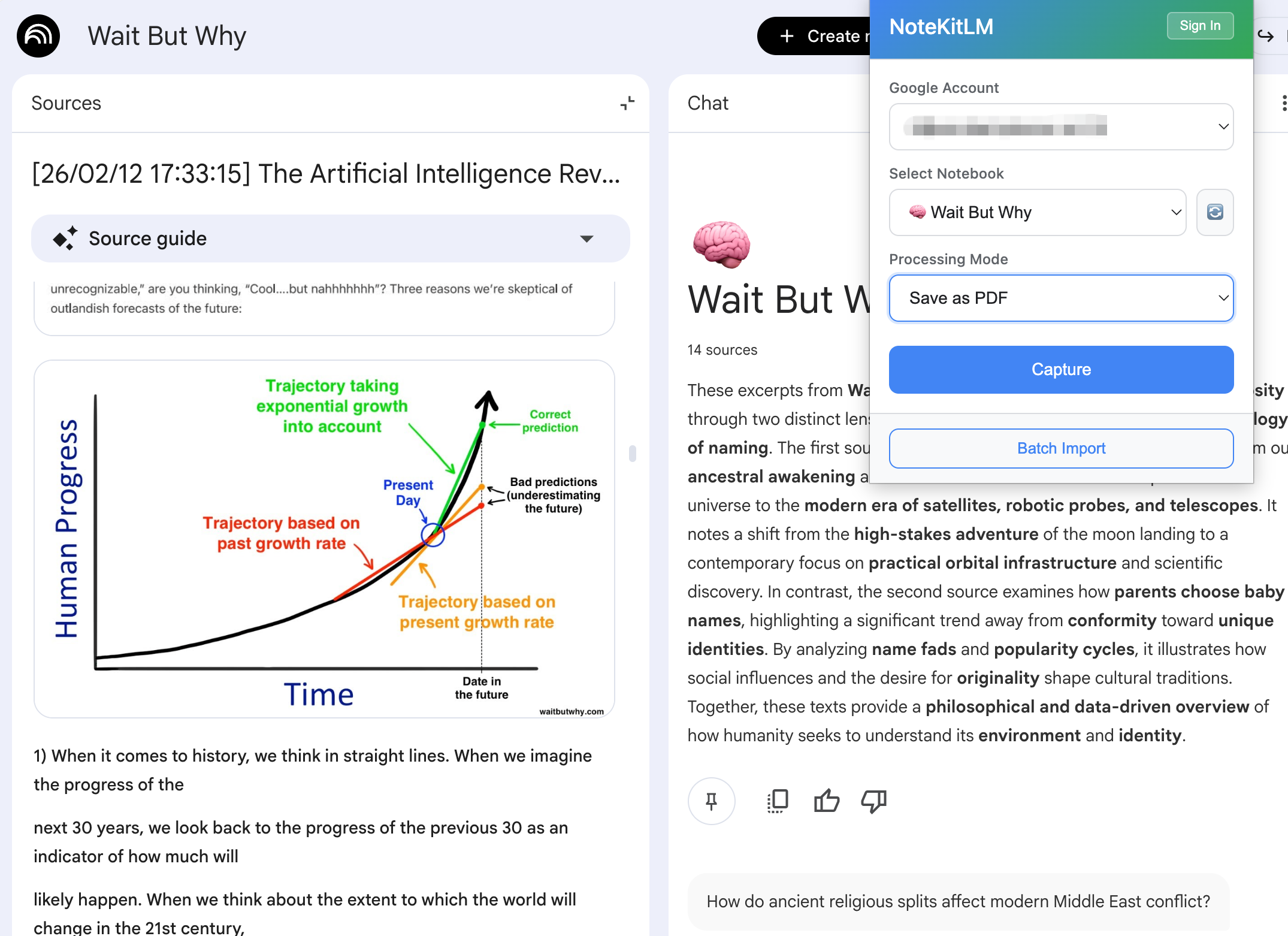
Some pages should stay as plain URL imports. Others need a PDF snapshot because the visuals, charts, or logged-in rendering matter. PDF import lets you keep exactly what you can already view and carry that context into NotebookLM.
Stop Losing Context
PDF import is the fallback when URL import stops being faithful enough. Use it for charts, image-heavy explainers, or pages you can legitimately open after signing in, so the notebook keeps the same evidence you were looking at in the browser.
- Preserve diagrams, screenshots, and other visuals that make the page worth saving in the first place.
- Save pages you can already access after logging in when the official URL path would lose too much context.
- Pair it with source view and sidebar reading when you still need to inspect the original layout later.
Part of the Workflow:
Web Article Workflow
Capture clean pages by URL, preserve image-heavy or logged-in pages as PDFs, then review everything in NotebookLM with the original article still visible.
Web Article Workflow
Capture clean pages by URL, preserve image-heavy or logged-in pages as PDFs, then review everything in NotebookLM with the original article still visible.
Learn more →Book Reading Workflow
Split books into chapters before NotebookLM so you can read, question, and review chapter by chapter.
Learn more →View Source
Keep the original webpage or document visible inside NotebookLM so you can verify claims, visuals, and citations without losing your place.
Learn more →